Libaro kick-start package
A package with generators to kick-start a new project.
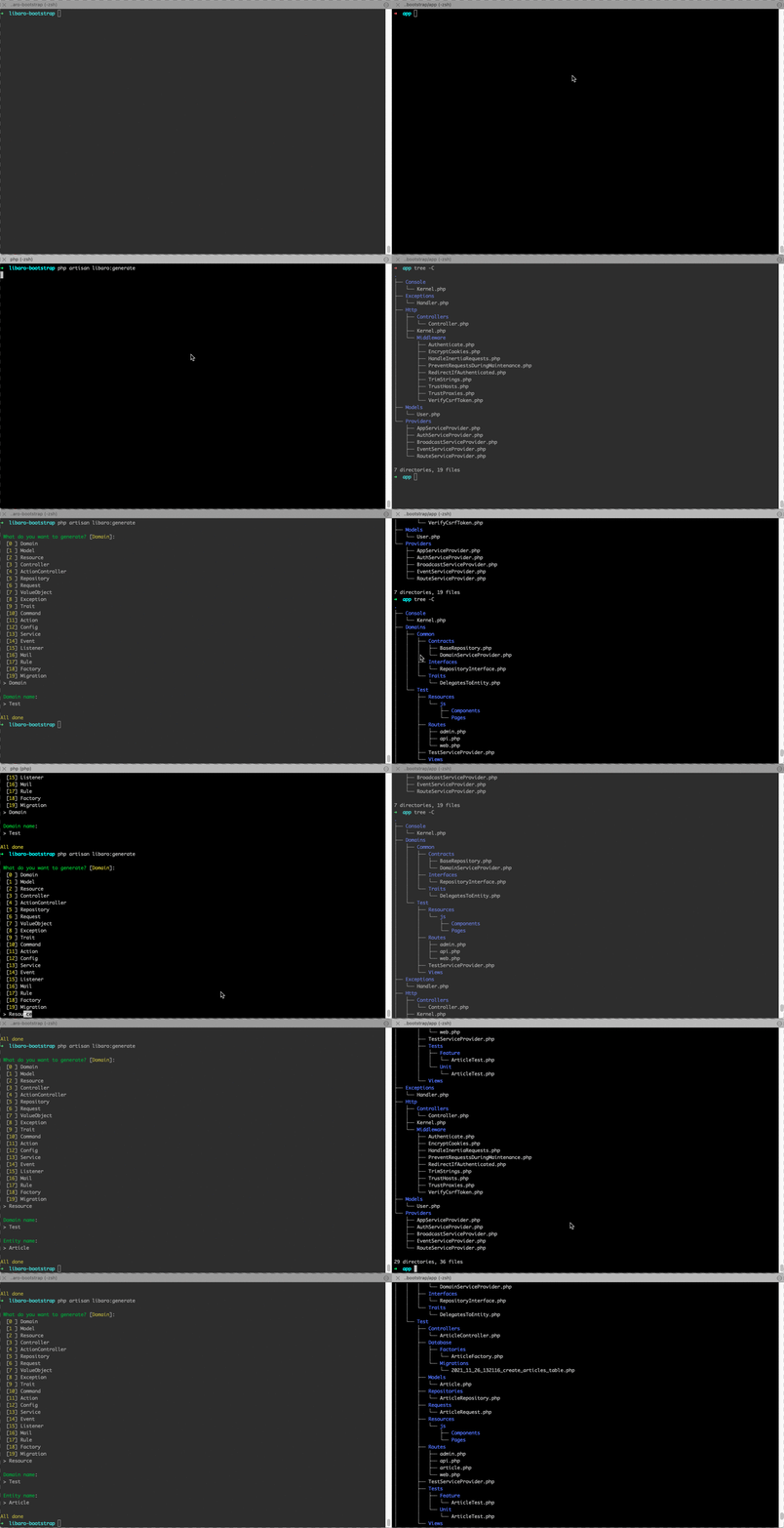
Installation
Add following to your application's composer.json file
    "repositories": [
        {
            "type": "vcs",
            "url": "git@bitbucket.org:libaro/kick-start.git"
        }
    ],
Then install the package via composer:
composer require libaro/kick-start --devConfig
You can publish the config file with:
php artisan vendor:publish --tag="libaro-kick-start-config"The following options are available to change according to your project(s):
domain.path: The default path used by the package to create/initialize new Domains (default:app/domains);domain.common: The Domain that will be used to store Common or Shared files, i.e. Interfaces, Contracts, ... (default:Common);packages.*: The packages that will be installed when running 'php artisan libaro:kickstart';types.*: The different types of files that can be generated by the package. A reasonable default has been provided, but you can change these as required;types.{entity}.path: The default path that should be used when creating this Entity;types.{entity}.with_subdomain:boolto toggle if an Entity should be able to be added in a subdomain (true), or if it's mainly used in the root Domain (false)types.{entity}.suffix: The suffix which will be appended to your filename when creating an Entity, i.e. 'Controller';
Usage
The package provides several commands for you to use:
  php artisan libaro:kickstart     Add default packages and code style configuration
  php artisan libaro:stack         Setup your project with your preferred stack
  php artisan libaro:generate      Kick-start your Laravel application. Vroom vroom!
  php artisan libaro:validate      Validate your project using standard Libaro rules
Step 1: php artisan libaro:kickstart
- This will install default composer packages;
- This will add some files to your project which will be used for automatic code styling.
Step 2: php artisan libaro:stack
This will install and configure the provided stacks in your app.
Options
--vue--inertia--tailwind
Step 3: php artisan libaro:generate
Scaffolds files and directories for your app.
Options
--force: Create files, even if they already exist (override);--no-init: Don't automatically initialiseCommonfiles;--api: Toggle creating API specific files/classes;--subdomain=: Add files to a subdomain, i.e. 'admin'. The subdomain will be created when necessary.
(Optional) Step 4: libaro:validate
Validates your code. This won't change your code, but will give you feedback on some best practices. Including the file and line where the best practice was not followed.
Testing
Test files are created whenever you generate a Resource. All tests in your Domain can be run using PHPUnit:
phpunitContributing
You can help by using this package. Test it. Abuse it. If you find a bug, fix it and create a Pull Request or let a colleague know. If you have any ideas or feature request, let Bert or Jennis know.